POS & Billing Software for Pakistani Shops — Works Even Without Internet
Fast billing, stock, customer credit and full accounts in one place. Send bills on WhatsApp. Works offline and syncs automatically.

- Online + OfflineBilling keeps going when the internet goes down.
- Auto SyncEverything syncs on its own when the internet is back.
- Secure LoginsA separate login and permissions for every user.
- Super-Fast BillingScan or type a name, press Enter, and the bill is ready.
See it in action
A quick tour of the software
Billing, the item list, sales reports and purchase returns: the screens you'll use every day, recorded in the real software.
For every kind of shop
Software made for your kind of shop
Choose your business to see how it fits your daily work.
- Pharmacy & Medical Store SoftwareThousands of medicines, a fast counter and clean distributor accounts.See Pharmacy software
- Retail Shops SoftwareClothing, shoes, gifts or electronics: billing for every shop.See Retail software
- Grocery & General Store SoftwareNeighbourhood credit, a fast counter and every supplier's account.See General Store software
- Mart & Superstore SoftwareBarcode speed, staff control and daily reports.See Mart software
- Book & Stationery Shop SoftwareThousands of titles, the school-season rush and supplier returns.See Book Shop software
- Dairy & Milk Shop SoftwareMonthly accounts for regulars and fast small sales.See Dairy software
- Other businessesDon't see your business? Message us on WhatsApp and we'll tell you honestly if it fits.Ask on WhatsApp
Online + Offline
Internet down? No problem.
Load-shedding, a router problem or a cut cable: your counter keeps billing, and everything syncs on its own later.
Bill offline
When the internet is down, the counter works normally: search, Enter, save, print.
Data safe on the shop's system
Every bill and payment is stored safely on the shop's own system.
Auto sync when the internet returns
As soon as the connection is back, everything syncs to your online account.
Fast billing
Bills in seconds, even in the rush
Scan the barcode, or type the item name or SKU, then press Enter. The item is on the bill. Keyboard shortcuts do the rest.
- Barcode, SKU & Name SearchScan or type a name, press Enter, and the item is on the bill.
- Per-Item & Bill DiscountsDiscount in percent or rupees, per line or on the whole bill.
- Keyboard ShortcutsLess mouse work, a faster counter.
- Print BillsA printed bill in one click.
- Send Bill on WhatsAppThe bill goes straight to the customer's WhatsApp.
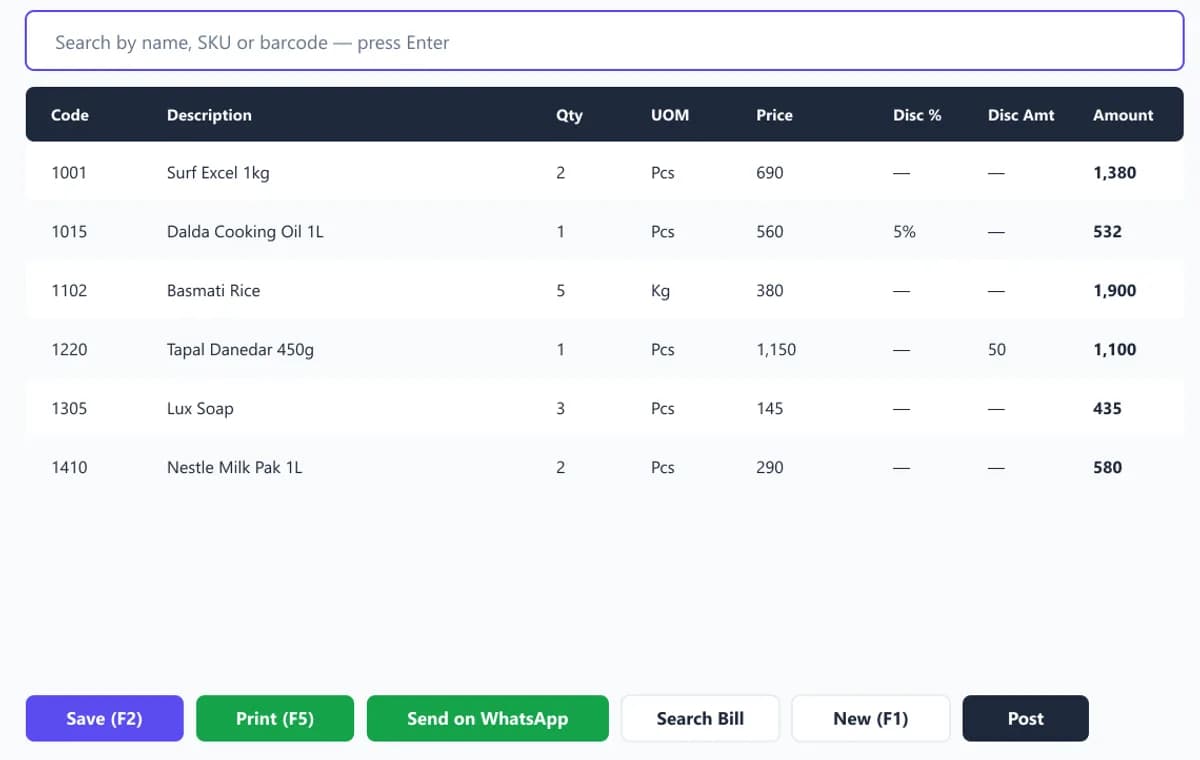
Credit & ledgers
Every rupee of credit on record, no register needed
Cash or credit, every bill lands in the right customer ledger. Customers see their old balance, and you see who owes what.
- Cash & Credit BillsCash or credit, every bill is accounted for.
- Previous Balance on Every BillOld balance and new bill, side by side.
- Customer Credit LedgerA clean, complete ledger instead of a register.
- Cash Receipt Voucher (CRV)Receive a customer's payment and update their ledger at once.
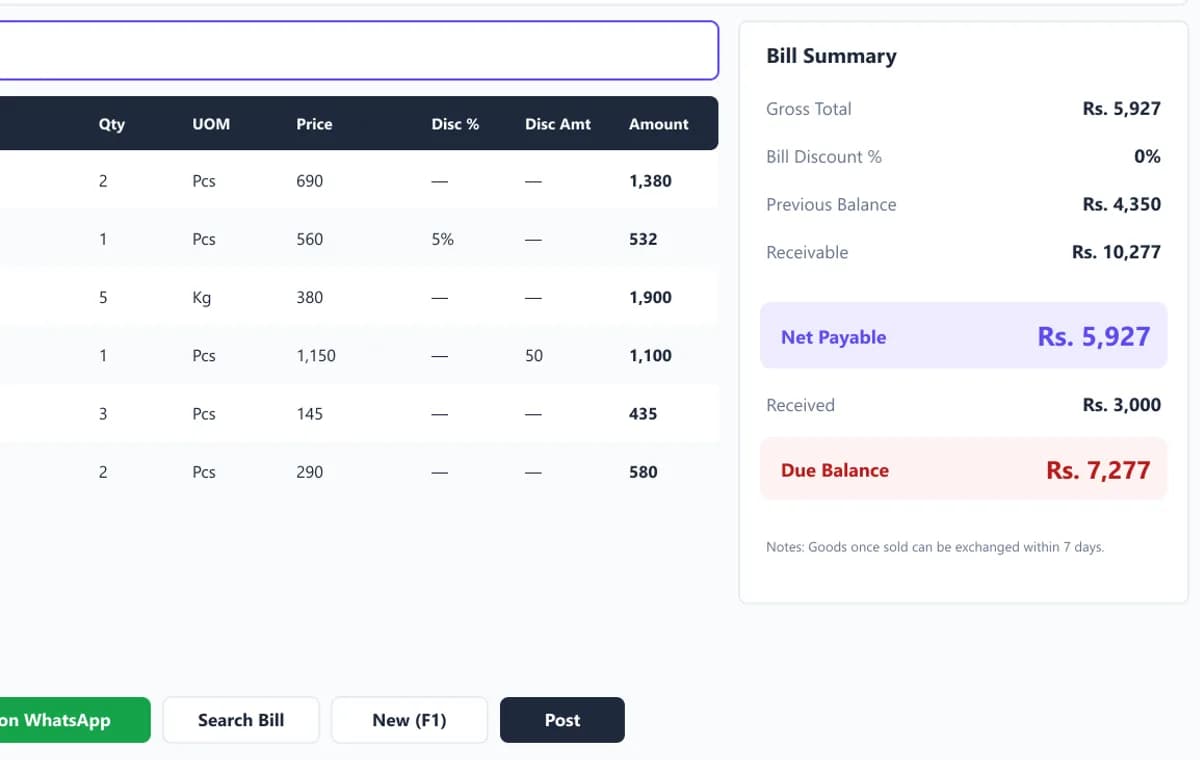
Stock & purchases
Every item in, every item out, on record
One item list for the whole shop. Purchases bring stock in; sales and returns are recorded against the same items.
- Items (Product Master)All items in one place: code, name, unit, price.
- PurchasesStock arrived from a supplier? Enter it as a purchase.
- Purchase ReturnsGoods back to the supplier, with the balance adjusted.
- Sale ReturnsCustomer returned an item? Record it properly.
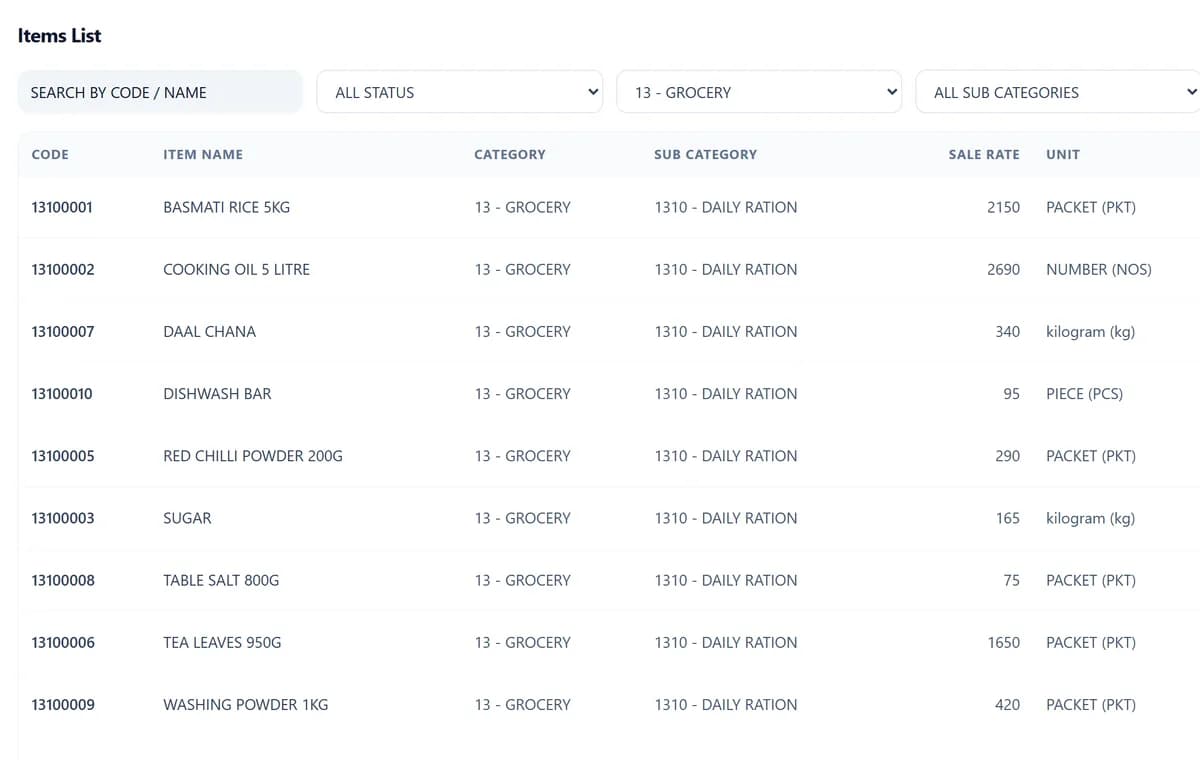
Accounts & reports
Less need for an accountant
Reports and full accounts come straight from the bills, purchases and vouchers you already enter.
- Sales & Purchase ReportsToday's sales and purchases at a glance.
- Ledger ReportsPrint the full ledger of any customer or supplier.
- Trial Balance & Balance SheetLess need for an accountant.
- Cash Payment Voucher (CPV)Payments to suppliers and expenses, all on record.
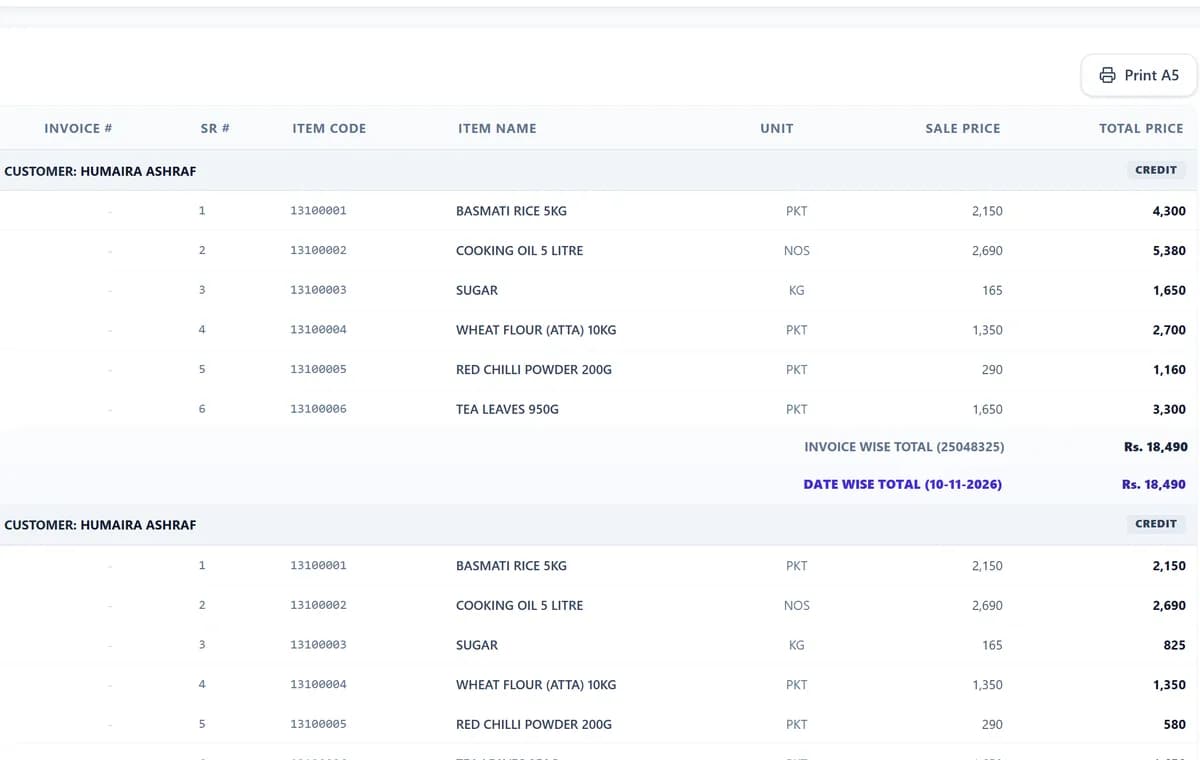
Multi-user & security
Your shop, your rules
Give each staff member their own login and decide what they can open. Finished bills stay finished.
- Separate Login for Every UserEvery staff member gets their own login.
- Role-Based PermissionsYou decide who can do what.
- Post / Unpost ControlNo quiet changes to finished bills.
- Data Safely Backed Up OnlineIf the computer breaks, your data is still safe.
Straightforward pricing in rupees
Clear pricing in PKR based on your shop and number of users, with no hidden charges.
Questions & answers
Frequently asked questions
Does this software work without internet?
Yes. Tijarat POS works online and offline. If the internet goes down, your counter keeps making bills, and nothing stops.
What happens to bills made offline when the internet comes back?
They are saved safely on the shop's system while you are offline. As soon as the internet comes back, all bills, payments and changes sync to your online account automatically. Nobody has to upload anything.
Is my data secure?
Yes. Every user has their own login, you decide what each person can access, and your data is safely backed up online. Posted bills cannot be changed quietly.
Can I have more than one user?
Yes. You can add several users, each with their own login and permissions, so you always know who made which bill.
Can I send bills to customers on WhatsApp?
Yes. Send the bill to the customer's WhatsApp straight from the sales screen, or print it.
Can I keep track of customer credit?
Yes. Choose Credit on the bill and it goes into the customer's ledger. Each new bill shows the previous balance and the due balance. Payments are recorded with a Cash Receipt Voucher (CRV).
Does it manage purchases and returns too?
Yes. Purchases, purchase returns and sale returns all have their own screens, and supplier balances update automatically in their ledgers.
How much does the software cost?
The price depends on your shop and the number of users. See our pricing page, or message us on WhatsApp for an exact quote.
Get a free demo today — it takes about 15 minutes
See the software working with items like yours. No obligation, no pressure.